Dollar rates, BCRA, INDEC, legislation, AFIP and more. Connect your agent to up-to-date official sources with a single MCP endpoint.
Get started free with GoogleRun a demo query and see how an agent with access to official data answers you instantly.
Anyone using an AI agent who needs up-to-date Argentine data.
Cross-reference inflation, the dollar, wages and reserves with a single prompt.
Look up monotributo (simplified tax regime), income tax and VAT, and find client CUITs instantly.
Monitor the Boletín Oficial (Official Gazette) and the exchange-rate gap without leaving the chat.
Integrate Argentine data into any AI workflow via the MCP protocol.
Compare supermarket prices and find the cheapest branch near you.
Every tool returns structured data ready for your agent to process. Click one to see an example.
No tools match that search.
Current exchange rates: official, blue (parallel), MEP, CCL, wholesale, crypto, card.
Source: Ámbito Financiero ↗Historical evolution of the 7 dollar exchange rates since 2020.
Source: Ámbito Financiero ↗Discover which dollar rate types are available and what each one means.
Source: Ámbito Financiero ↗32,000+ time series from BCRA and INDEC: CPI, economic activity, reserves, foreign trade, wages.
Free-text search across the unified BCRA + INDEC series catalog.
Series metadata: source, frequency, date range, latest value.
Exports, imports and trade balance: by country, by HS chapter or product-partner cross. HS granularity 2-8 digits. Monthly INDEC data since 2002 (granular) / 1990 (aggregate).
Source: INDEC ↗Compare today's economy vs N months ago: dollar, FX gap, reserves, BADLAR rate, inflation and activity in one call.
Weekly economic digest: dollar, central bank indicators, inflation, foreign trade and the week's tax regulations.
Search 420,000+ laws, decrees and resolutions from InfoLeg.
Source: InfoLeg ↗Official Gazette publications. 27,000+ indexed notices.
Source: Boletín Oficial ↗Monotributo, income tax, VAT: structured data on current tax legislation.
Source: ARCA ↗Look up a taxpayer by CUIT (tax ID). Tax status, VAT, income tax, monotributo.
Source: ARCA ↗National holidays by year or month, with business-day calculations.
Source: Argentina Datos ↗ARCA tax deadlines by taxpayer profile and tax-ID ending digit.
Source: ARCA ↗Monotributo categories, revenue caps, monthly payments, deadlines and current requirements.
Source: ARCA — Monotributo ↗Your current usage: how many queries you've used and how many remain.
Search products across 19 supermarket chains. Prices for 70,000+ products, updated daily.
Source: SEPA — Datos Producción ↗Compare a product's price across chains. Identifies the cheapest and most expensive.
Source: SEPA — Datos Producción ↗Find the cheapest store near you for a specific product.
Source: SEPA — Datos Producción ↗Active discounts: banks, cards, wallets and loyalty programs at supermarkets.
Your best real price: combines the product price with your payment-method discounts.
Source: SEPA — Datos Producción ↗Active promotions at a chain: discounted products, list vs promo price.
Source: SEPA — Datos Producción ↗Fuel prices at gas stations: filter by province, city, fuel type, brand or location.
Source: Secretaría de Energía ↗Find the cheapest gas station near you for a given fuel type.
Source: Secretaría de Energía ↗Compare fuel prices across brands (YPF, Shell, Axion…) in an area.
Source: Secretaría de Energía ↗Historical fuel price evolution by type and brand.
Source: Secretaría de Energía ↗Election results 2015-2023: national, province, department, precinct or geographic radius. 24 provinces, 12 elections.
Source: DINE ↗2022 Census data: population, housing and area segmentation for market research.
Source: INDEC — Censo 2022 ↗Pre-computed census data by province or department: demographics, housing, education, employment, connectivity.
Source: INDEC — Censo 2022 ↗Cross-tabulated census profiles: age×sex, education×sex, activity×sex, households×poverty by area.
Source: INDEC — Censo 2022 ↗Nearby points of interest in Buenos Aires City: pharmacies, hospitals, subway, schools and 25+ categories. Accepts address or lat/lng.
Source: BA Data ↗Minimum distance to each POI category from a location. Ideal for property valuation and market research.
Source: BA Data ↗Ambient noise levels in Buenos Aires City: day/night dBA, WHO category and zone classification. All 15 comunas. Accepts address or lat/lng.
Source: BA Data (APrA) ↗Discover which tools fit your profile: monotributo taxpayer, investor, journalist, accountant, developer.
Service status: operational, degraded or down.
Send suggestions, report bugs or request new data sources. Never counts against your quota.
The same data, without MCP. Every tool has its standard HTTP endpoint.
See all endpoints in the API docs →
What Claude can do with Argentina Data MCP connected. Ready-to-copy prompts and the reports they generate.
Market research dossier: demographic and socioeconomic profile plus the commercial landscape within a 500m radius of any address.
Macro state of the union: 10 KPIs, exchange rates, activity, prices and the external sector — with BCRA and INDEC data.
Intentional homicides 2015-2024 in the 5 most populous provinces — with per-capita rates and explicit caveats. SNIC data.
Budget execution, inflation-adjusted revenue, tax calendar and regulatory landscape — a fiscal dossier with data from Mecon, ARCA and the Boletín Oficial.
Four strategic sectors on one screen: soy, beef, lithium, auto parts — with geographic concentration, bilateral balance and a case study of the soy complex. 8-digit NCM × country since 2002. Paid users only.
Simple and transparent. You pay for what you use.
Choose your platform and follow the steps. Sign up with Google to get your API key. New to this? Read what MCP is first, explained simply. Want a more detailed step-by-step guide? Read the install guide (Español).
Already using Claude Code? Fast path:
claude mcp add argentina-data --transport http https://argentinadata.mymcps.dev/mcp
The first query opens the login in your browser. For other compatible clients, the equivalent config:
{
"mcpServers": {
"argentina-data": { "type": "http", "url": "https://argentinadata.mymcps.dev/mcp" }
}
}
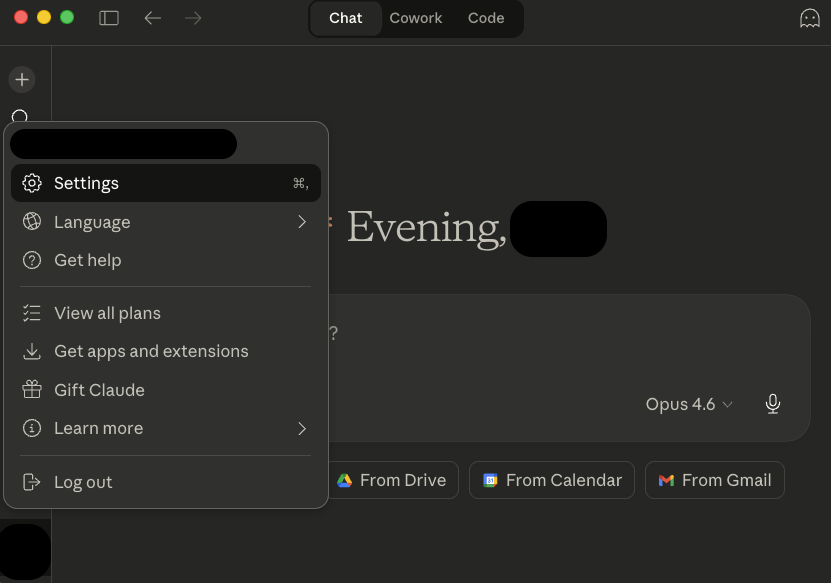
In Claude.ai, click your name (bottom left) and select Settings.
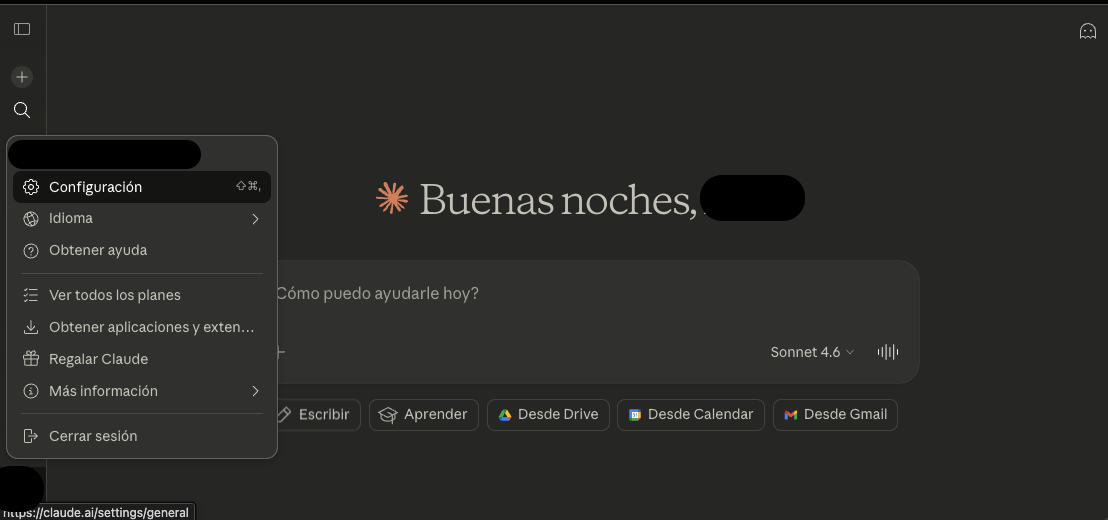
In the side menu, select Connectors and click "Add custom connector".
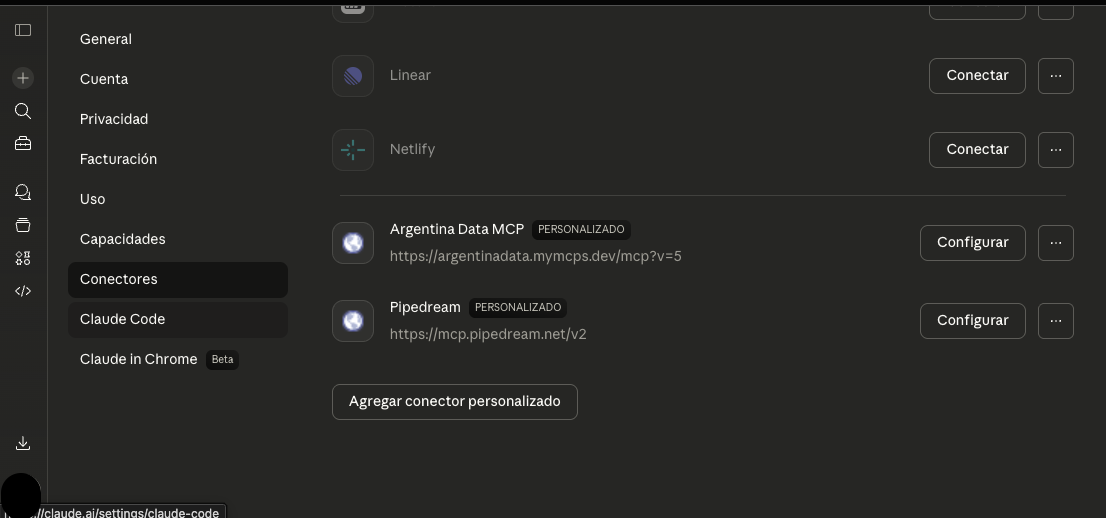
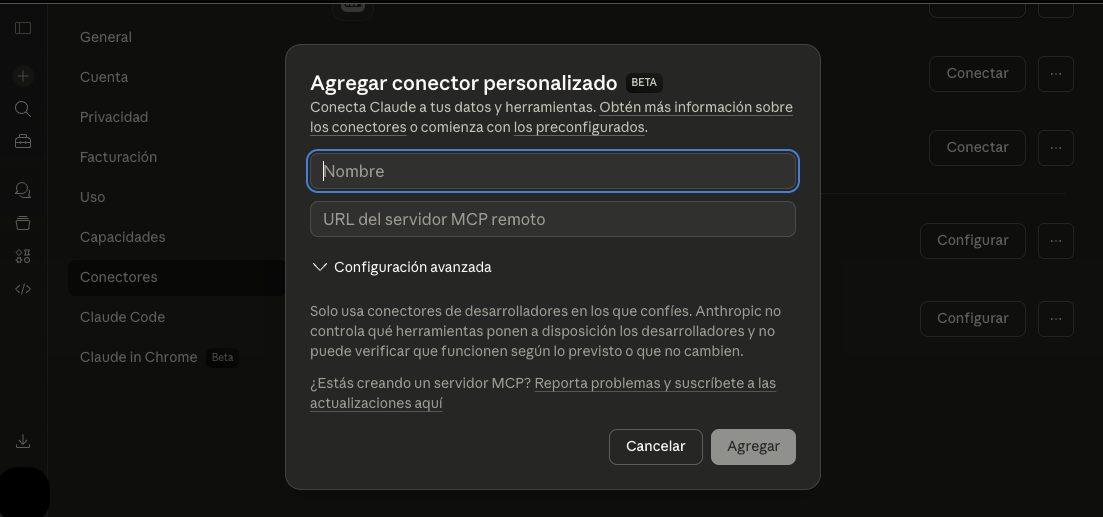
Enter the name "Argentina Data" and paste the server URL:
After adding it, you'll see "Argentina Data" in the list. Click "Connect".
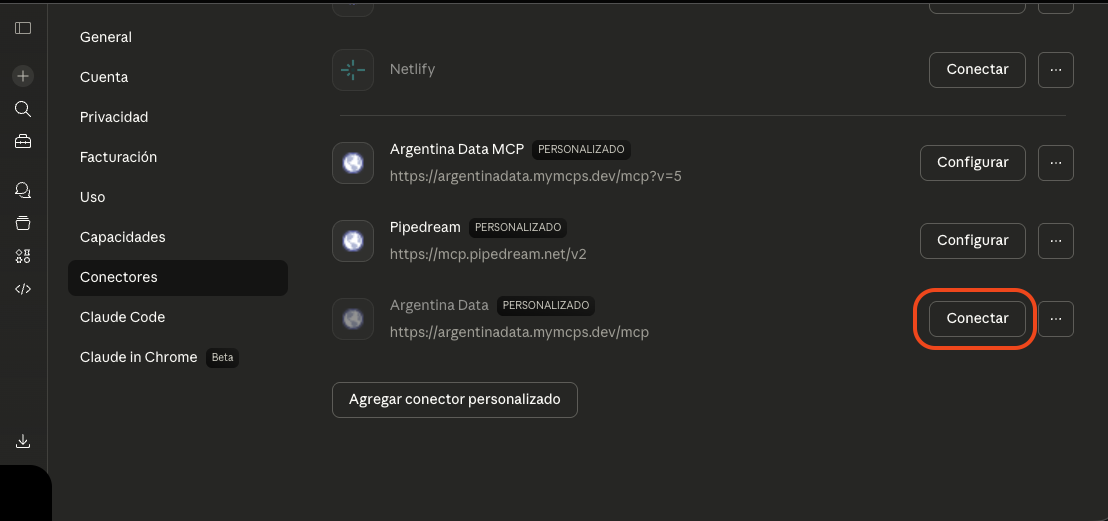
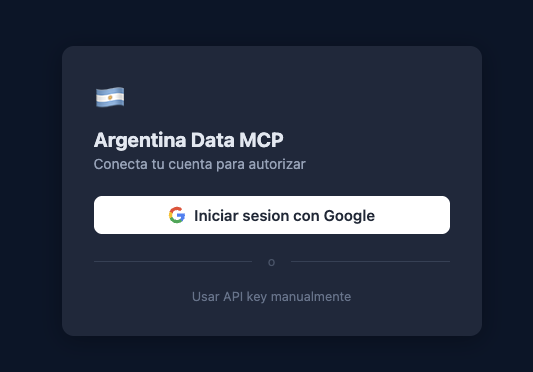
An authorization window will open. Click "Sign in with Google" and you're done.
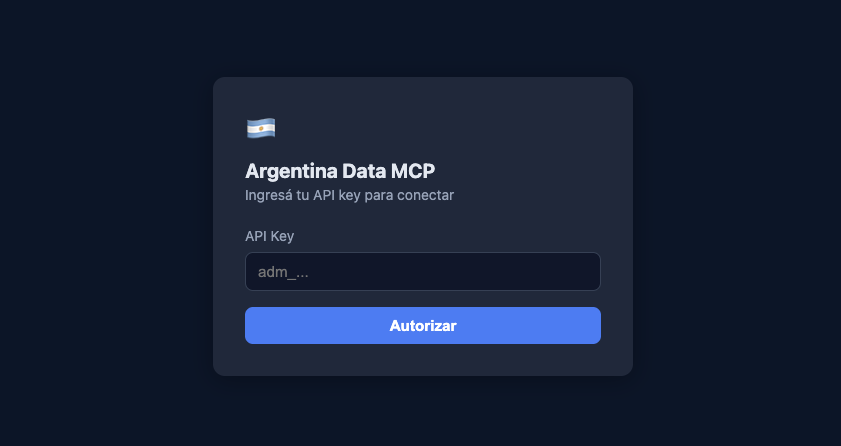
You can also use your API key manually by clicking "Use API key manually".
In a new conversation, type something like:
You can connect via Connectors (just like in Claude.ai) or by editing the config file.
Click your name and select Settings.
In the side menu, select Connectors and click "Add custom connector".
Enter the name "Argentina Data" and paste the server URL:
After adding it, you'll see "Argentina Data" in the list. Click "Connect".
An authorization window will open. Click "Sign in with Google" and you're done.
You can also use your API key manually by clicking "Use API key manually".
In a new conversation, type something like:
In Settings, scroll down to Desktop app > Developer and click "Edit Config".
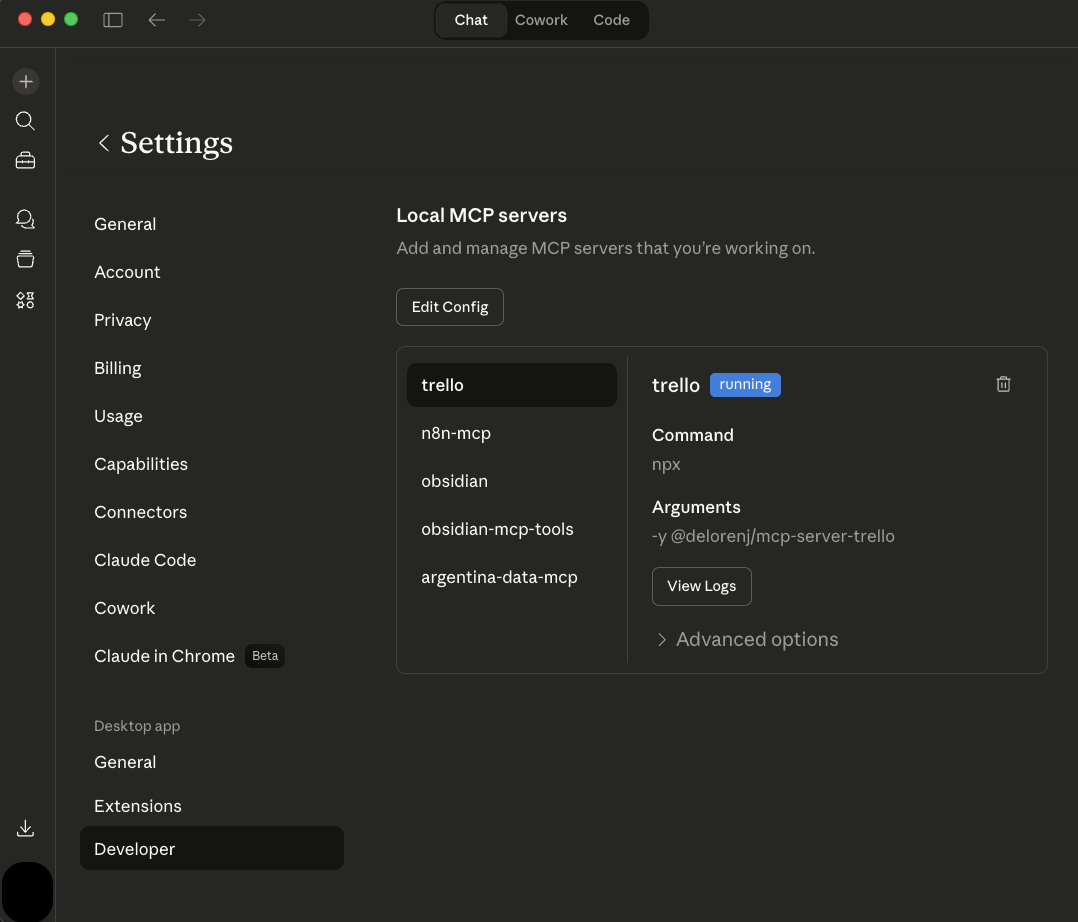
Paste this config into the claude_desktop_config.json file (or add it inside "mcpServers" if you already have others):
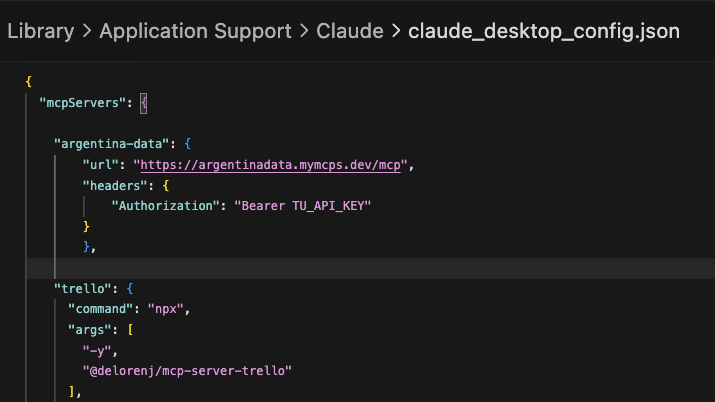
Close and reopen Claude Desktop so it picks up the new config.
Type something like:
In Cursor, go to Cursor > Settings (or Cmd+,).
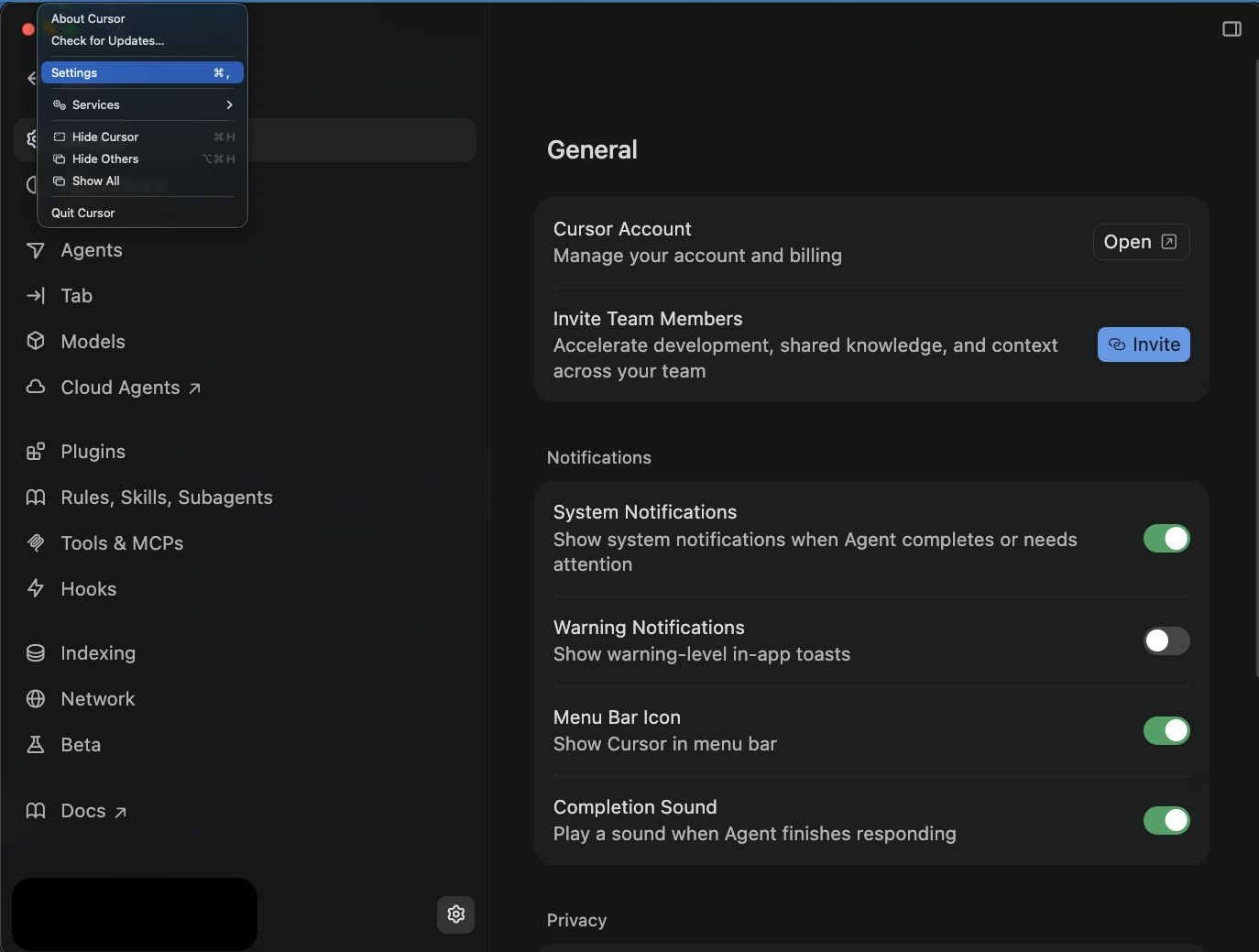
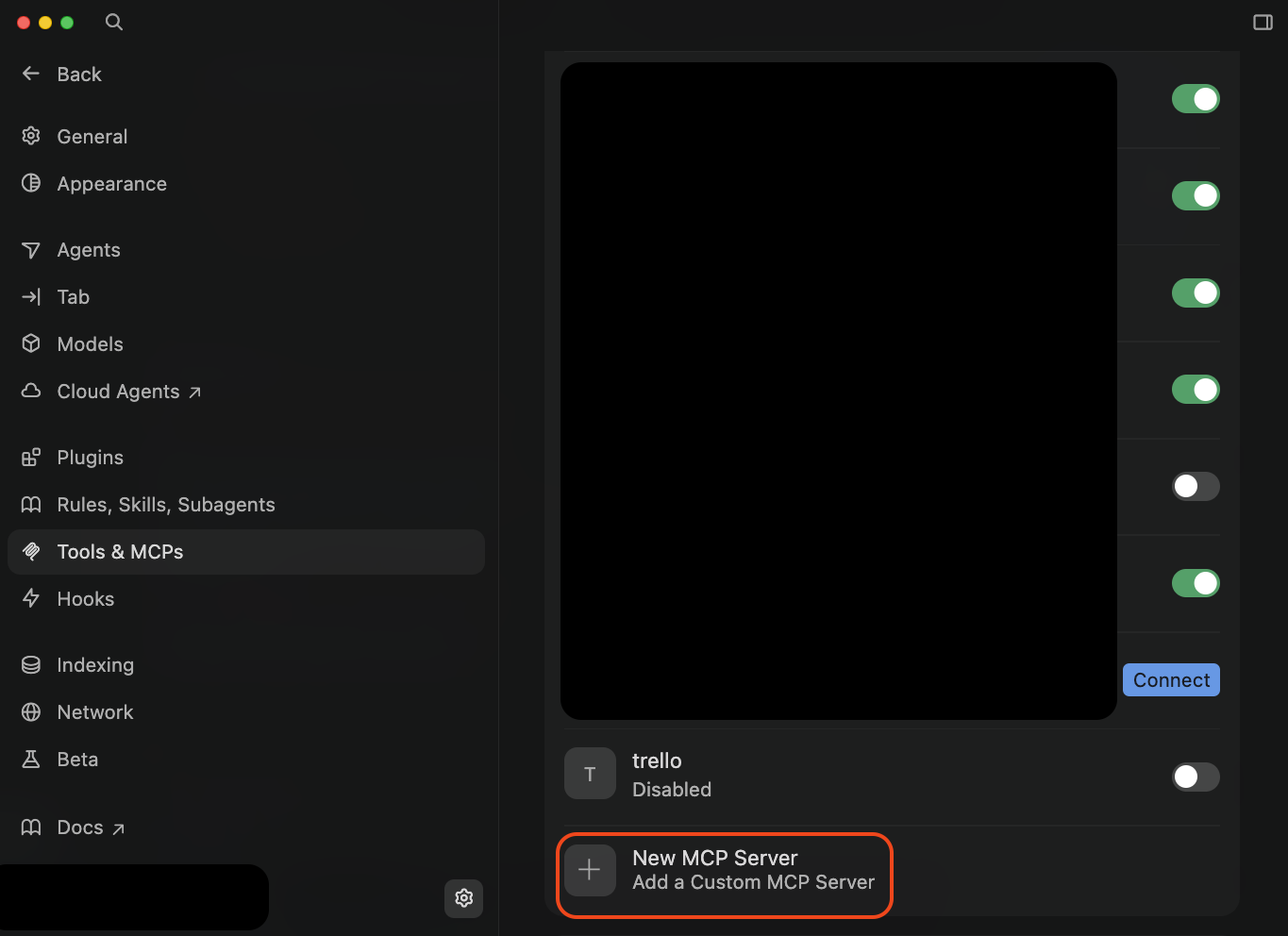
In the side menu, select Tools & MCPs and click "New MCP Server".
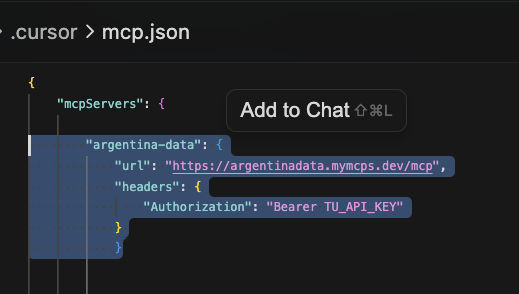
The .cursor/mcp.json file will open. Paste this:
Open the agent chat panel and type:
There are two ways to use Argentina Data from ChatGPT. Option A is the fastest and works on any plan. Option B takes more steps but keeps the connector available across all your chats.
A preconfigured GPT in ChatGPT's GPT Store. No developer mode, no pasting URLs, no setup. Open the link, connect your account once, and start chatting.
Click the link and it opens directly in ChatGPT with ready-to-use suggestions:
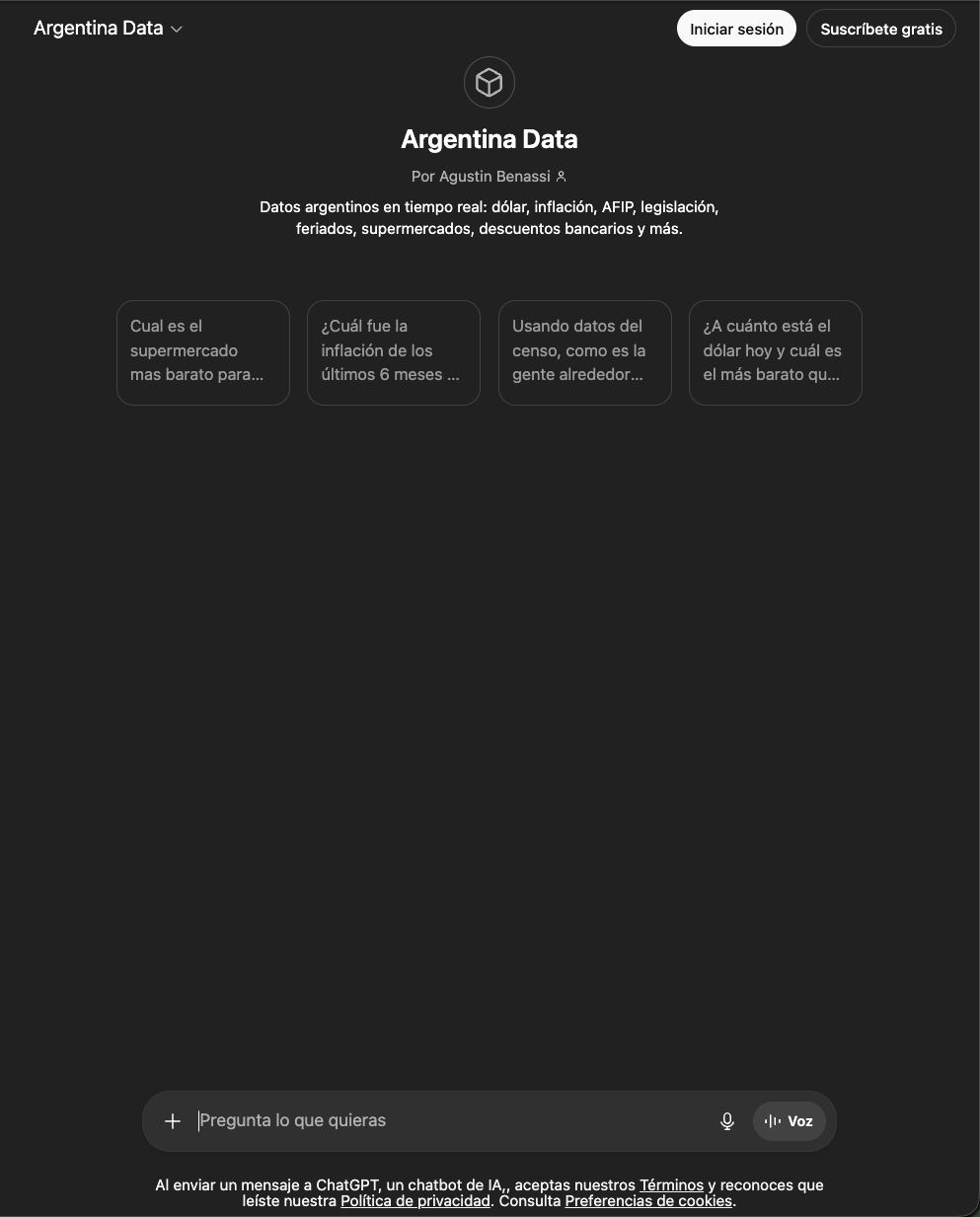
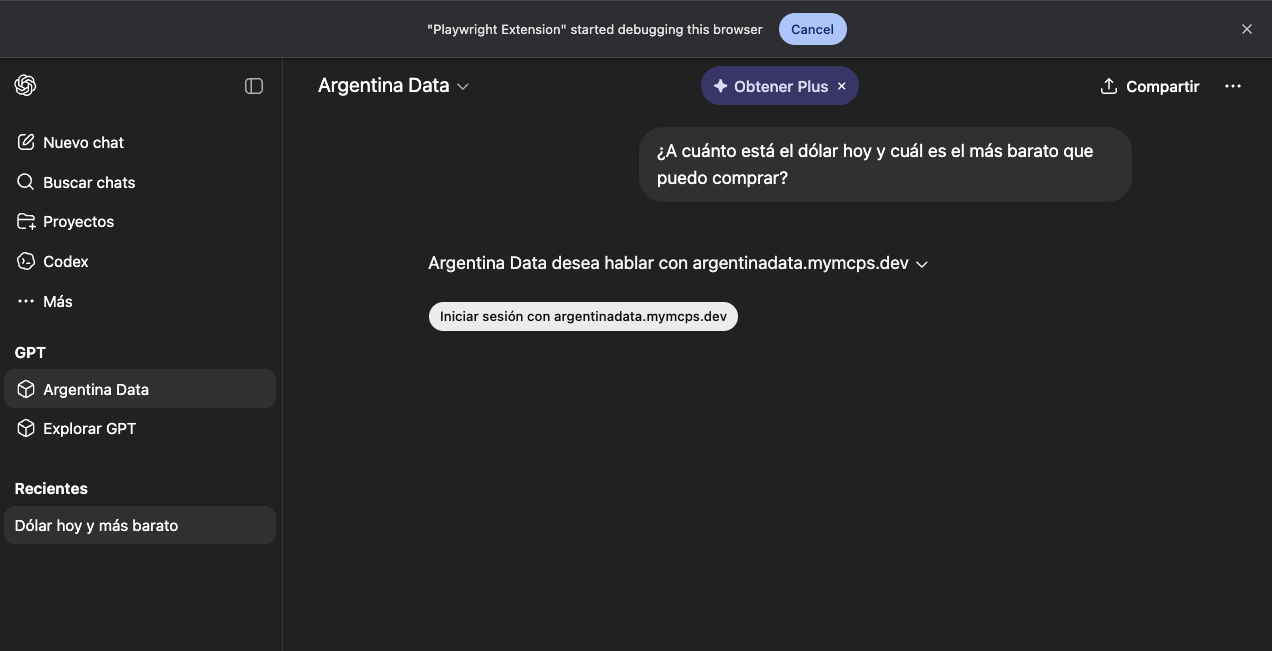
Type a message or click one of the starters. The first time the GPT needs data, ChatGPT shows you a button to connect your account:
Click "Sign in with argentinadata.mymcps.dev".
A tab opens with the authorization page. Click "Sign in with Google" and approve with your account. You'll return to the chat automatically.
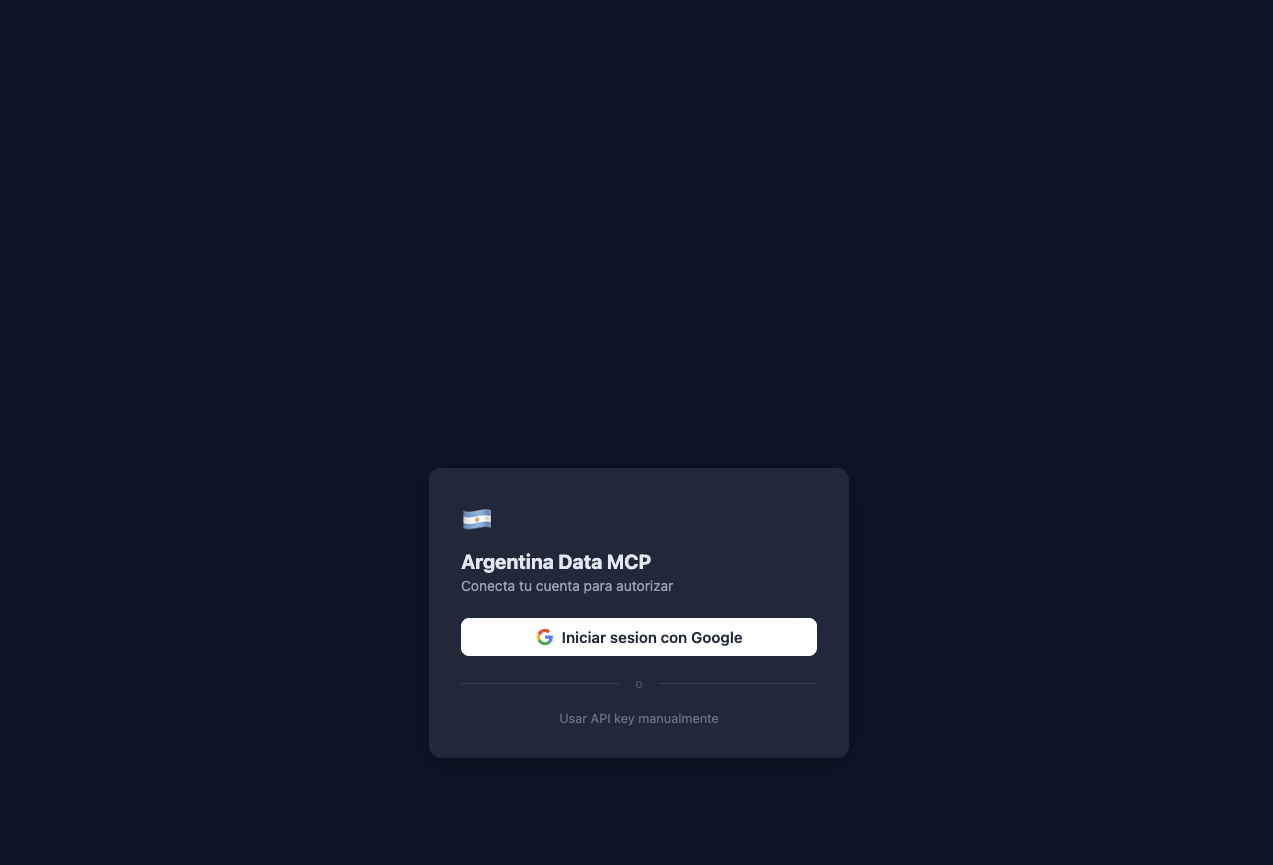
If you'd rather not use Google, you can click "Use API key manually" and paste your API key.
For security, ChatGPT asks before each call to a new tool. Click "Always allow" so it won't ask again.
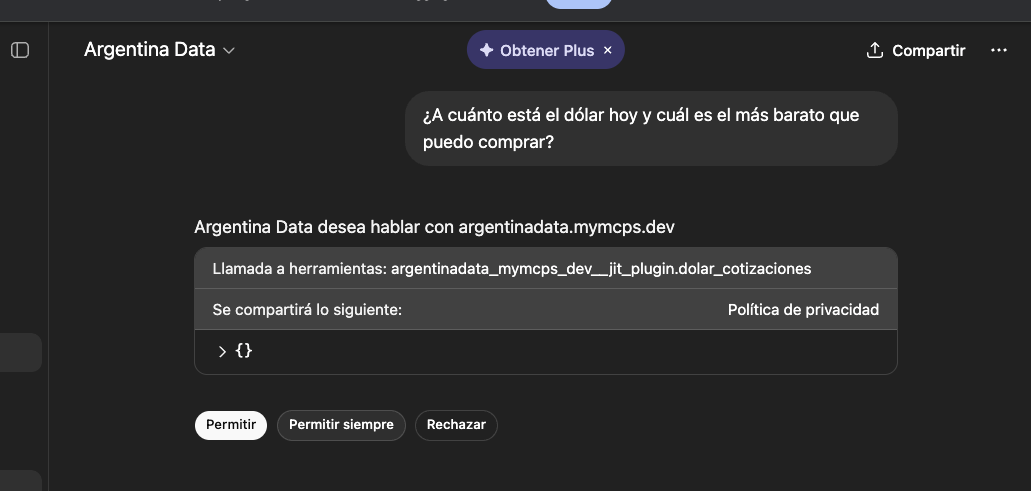
You do this once for each different tool (exchange rates, AFIP, INDEC, etc). "Always allow" saves you the dialog in future chats.
The GPT responds with live data and shows "Talked to argentinadata.mymcps.dev" at the top so you know where it came from.
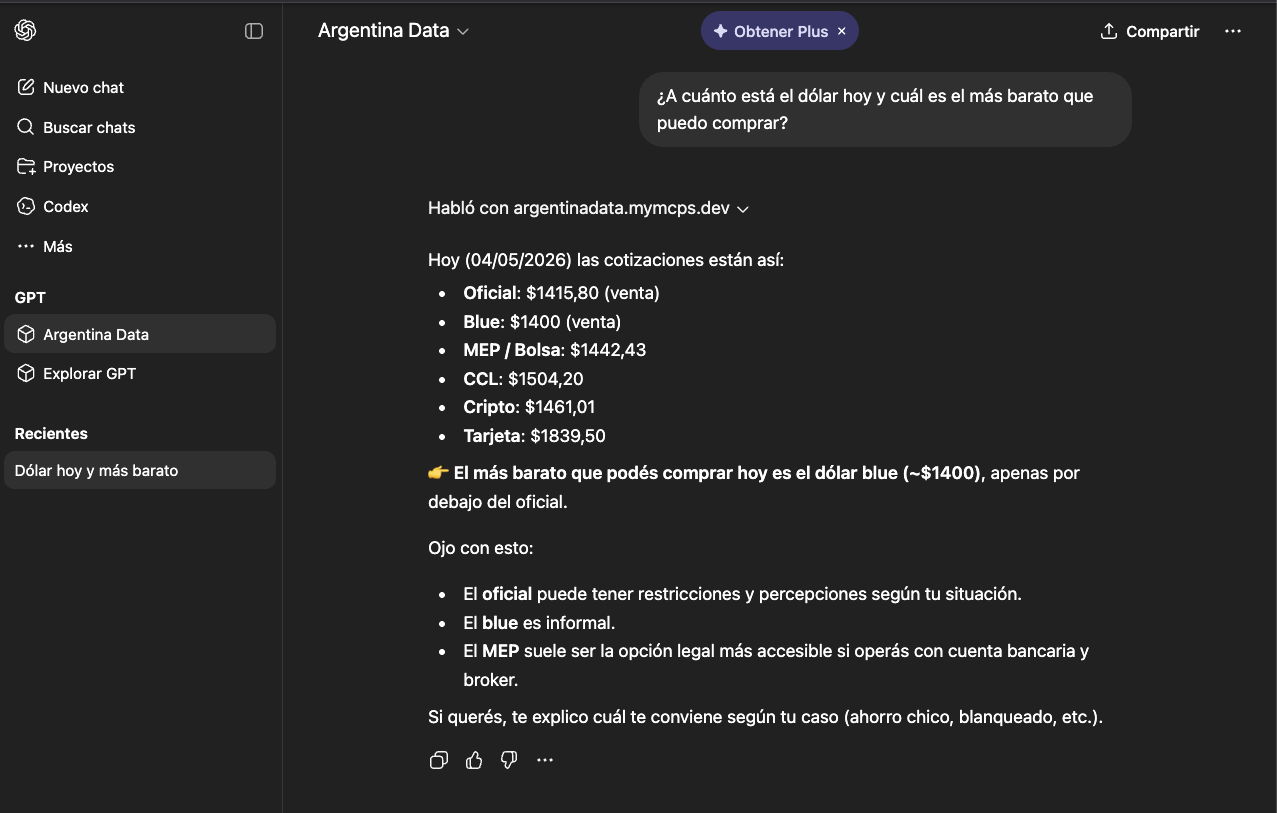
Argentina Data as a native ChatGPT connector. Once set up it's available in any chat and can be combined with other tools. Requires more steps and a paid plan.
In ChatGPT, go to Settings > Apps > Advanced settings and turn on the Developer mode toggle.
Go back to Apps and click "Create app". Choose "Custom MCP server".
Enter the name "Argentina Data" and paste the server URL:
Authentication: OAuth. ChatGPT will open a window for you to authorize with your Google account.
In a new chat, click the + button (bottom left of the input), choose Developer mode and enable Argentina Data.
You need to do this once per chat. Once enabled, the connector stays available for the whole conversation.
Type something like:
Any application compatible with the MCP protocol can connect to Argentina Data using the server URL and your API key.
Use these values in your MCP client's config:
Most MCP clients accept this format:
Once connected, try:
Not sure which one to pick? Use the full endpoint — it includes every tool and is the recommended option. If your agent needs to load fewer tools into context, each domain is also available as its own MCP endpoint: same credentials, same limits, plus the quota, status, discovery and feedback meta-tools. The live list of each endpoint's tools is at /api/mcp/domains.
Create your account in one click and get your API key instantly. Free plan with 20 queries per day; optional Pro at ARS 1,100 (Argentine pesos) / month.
Have a question or suggestion, or want to integrate Argentina Data MCP into your product? Write to us.